
Download Inno Setup – Free Installer Creation Tool for Windows Developers
Overview
Inno Setup is a dedicated software development utility designed to assist programmers in creating professional, reliable application installers for the Windows platform. As a free tool, it empowers developers to package their software with efficiency and precision, ensuring compatibility across various Windows operating systems. The application serves as a critical component in the software distribution pipeline, enabling developers to deliver polished, user-ready installations that include necessary files, registry entries, shortcuts, and uninstallation capabilities.
Targeted primarily at software programmers and technical developers, Inno Setup addresses the common challenge of producing consistent and robust installation packages without requiring advanced scripting knowledge. Its ability to generate standalone EXE files simplifies the deployment process, making it easier for end users to install applications with minimal friction. Real-world use cases include distributing desktop applications, utility tools, and software suites across enterprise and consumer environments.
Although the developer, Jordan, is listed, no further details about the individual or their background are publicly available. The tool’s release on April 5, 2024, marks its continued relevance in the development ecosystem. Inno Setup remains a go-to solution for developers seeking a lightweight yet powerful installer generator that supports modern Windows versions while maintaining backward compatibility.
Key Features & Functionality
- Full Windows Version Compatibility – Inno Setup supports all major Windows operating systems, allowing developers to create installers that function reliably across diverse user environments, from legacy systems to the latest Windows releases.
- Customizable EXE Installer Creation – Developers can generate self-contained EXE files that include all application components, with a professional interface tailored to the software’s branding and user experience needs.
- Automatic Link and Shortcut Generation – The tool automatically creates desktop and start menu shortcuts, ensuring users can access the installed application quickly and intuitively.
- Registry Entry Management – Inno Setup handles the creation of required registry entries during installation, facilitating proper software configuration and integration with the Windows system.
- Built-in Uninstaller – Every installer includes a dedicated uninstaller, allowing users to cleanly remove the application and its associated files, enhancing system hygiene and user satisfaction.
For example, a developer creating a productivity utility can use Inno Setup to bundle the application, generate a custom setup wizard, place shortcuts in the appropriate locations, and ensure that all system settings are properly registered. This comprehensive automation reduces the risk of installation errors and streamlines the release process. The tool’s structured approach ensures consistency and professionalism in every deployment, making it ideal for both individual developers and small development teams.
Interface, UX & Performance
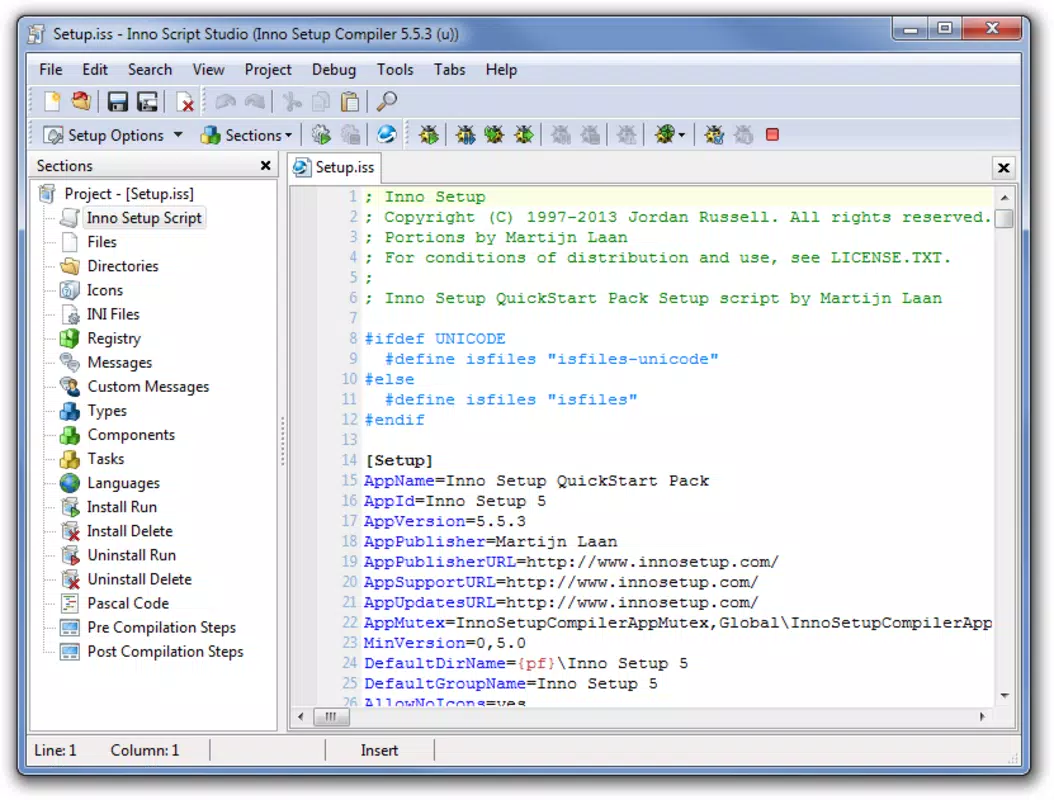
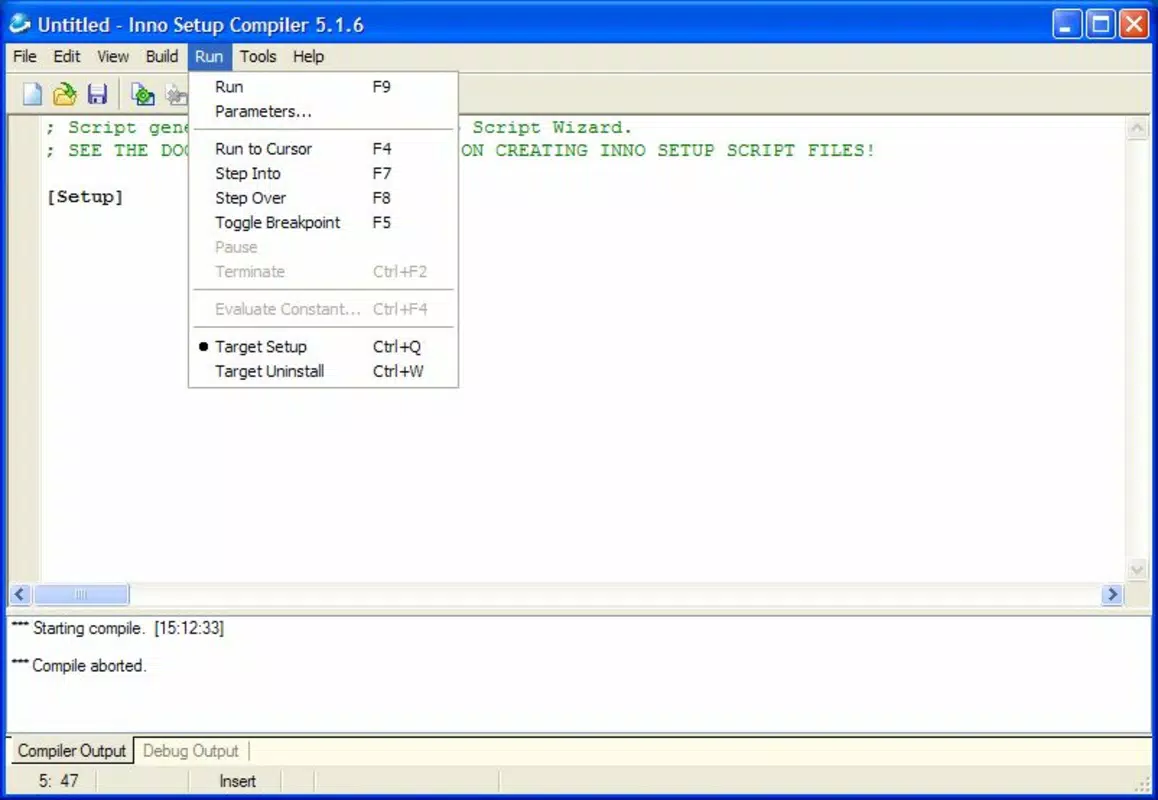
Inno Setup presents a clean, text-based interface that prioritizes functionality over visual flair, reflecting its role as a developer-focused utility. The layout is organized around configuration scripts, allowing experienced users to define installation behavior through a simple scripting language. Navigation is straightforward, with logical grouping of settings and options, though it may require some learning for beginners unfamiliar with installer scripting.
The user experience is optimized for developers who value control and precision. While the tool does not feature a graphical installer builder, its script-based approach offers greater flexibility and customization. Performance is efficient, with minimal resource usage during installation package creation. Although the developer did not list formal performance metrics, the 5.2 MB file size suggests a lightweight footprint, making it suitable for systems with limited storage or processing power.
Responsiveness is consistent across different device categories, though the tool is designed exclusively for desktop environments. Stability is maintained through regular updates and a long-standing presence in the developer community. The absence of graphical elements reduces the likelihood of interface glitches, contributing to a reliable workflow for software packaging tasks.
Platform Compatibility & Technical Requirements
Inno Setup is designed exclusively for the Windows operating system. The current version, 6.2.3, is compatible with all major Windows releases, ensuring broad support across both legacy and modern systems. The application has a file size of 5.2 MB, making it a compact download ideal for developers working on systems with limited bandwidth or storage.
The developer did not specify minimum OS requirements, nor did they list additional technical dependencies. As such, users should ensure their Windows environment supports the latest version of Inno Setup. Compatibility with different Windows editions (Home, Pro, Enterprise) is assumed based on the tool’s widespread use, but no official confirmation was provided.
Pros and Cons
Pros
- Free to download and use, making it accessible to individual developers and small teams.
- Supports all Windows versions, ensuring wide compatibility across user environments.
- Generates self-contained EXE installers with customizable interfaces.
- Automatically creates shortcuts, links, and registry entries for seamless integration.
- Includes a built-in uninstaller for clean software removal.
Cons
- Requires knowledge of scripting for advanced customization, which may pose a barrier for beginners.
- Lacks a built-in graphical installer builder, limiting visual design flexibility.
- Platform is limited to Windows; no support for macOS or Linux.
- Developer did not provide detailed system requirements or compatibility notes.
- Interface is text-based and may feel outdated to users expecting modern GUI tools.
FAQ
Is Inno Setup safe to download and install?
Yes, Inno Setup is a legitimate development tool. It is free and widely used in the software community. As with any software, it is recommended to download from official sources to ensure authenticity and avoid tampering.
Can I use Inno Setup for commercial software distribution?
Yes, Inno Setup is free for both personal and commercial use. Developers can package and distribute their commercial applications without licensing fees or restrictions.
Does Inno Setup support creating installers for macOS or Linux?
No, Inno Setup is designed exclusively for the Windows platform. It does not support macOS or Linux operating systems.
What scripting language does Inno Setup use?
Inno Setup uses a custom scripting language based on Pascal, allowing developers to define installation behavior, file placement, registry modifications, and user interactions.
How often is Inno Setup updated?
The latest version, 6.2.3, was released on April 5, 2024. While update frequency is not specified, the tool maintains active development and community support.
Final Thoughts
Inno Setup stands out as a reliable, free, and efficient tool for developers seeking to create professional installers for Windows applications. Its ability to generate self-contained EXE files with customizable interfaces, automatic shortcut creation, and built-in uninstallers makes it a valuable asset in any software development workflow. While its text-based interface and scripting requirements may present a learning curve, the tool’s power and flexibility justify the investment in understanding its capabilities.
It is particularly beneficial for independent developers, software startups, and technical teams focused on delivering polished, user-friendly applications. The combination of broad Windows compatibility, low resource usage, and no cost makes Inno Setup a top choice for installer creation.
Download Inno Setup now


